Independent reporting
Claims are sourced to the document closest to the decision. Estimates and event-specific instructions are labeled accordingly.An artificial-intelligence demonstration can succeed technically and still leave its audience uncertain. A screen produces an answer. A robot completes a movement. A presenter announces a benefit. But the visitor may not know what information went into the system, how much preparation occurred beforehand, or which part of the result belongs to the product being offered.
That is an exhibit-planning problem as much as a presentation problem. The space, graphics and demonstration sequence determine what a visitor can observe and what must simply be taken on trust.
CES 2027 is scheduled for January 6–9 in Las Vegas. The organizer’s Enterprise AI overview describes a commercial focus that includes infrastructure, automation, industry applications and trust-related technologies. Those are broad categories, not promises that any particular product will perform as advertised. For exhibitors preparing a January launch, the useful October question is narrower: what can a visitor reasonably conclude after watching this demonstration?
Start with the claim, then build the demonstration
A technology team may begin with its most visually striking feature. A marketing team may begin with its strongest benefit statement. Neither starting point necessarily tells a buyer enough to evaluate the offering.
Write down one claim that the demonstration is meant to support. Then identify the visible evidence needed to support it. If the claim concerns time saved, the presentation needs a clear account of the task and the comparison. If it concerns finding information, the visitor needs to understand the available material and what counts as a useful answer.
The booth does not have to become a laboratory. It does need to avoid turning a selected example into a universal promise. A successful demonstration of one workflow is evidence about that workflow under the conditions shown. It is not, by itself, proof of every potential use.
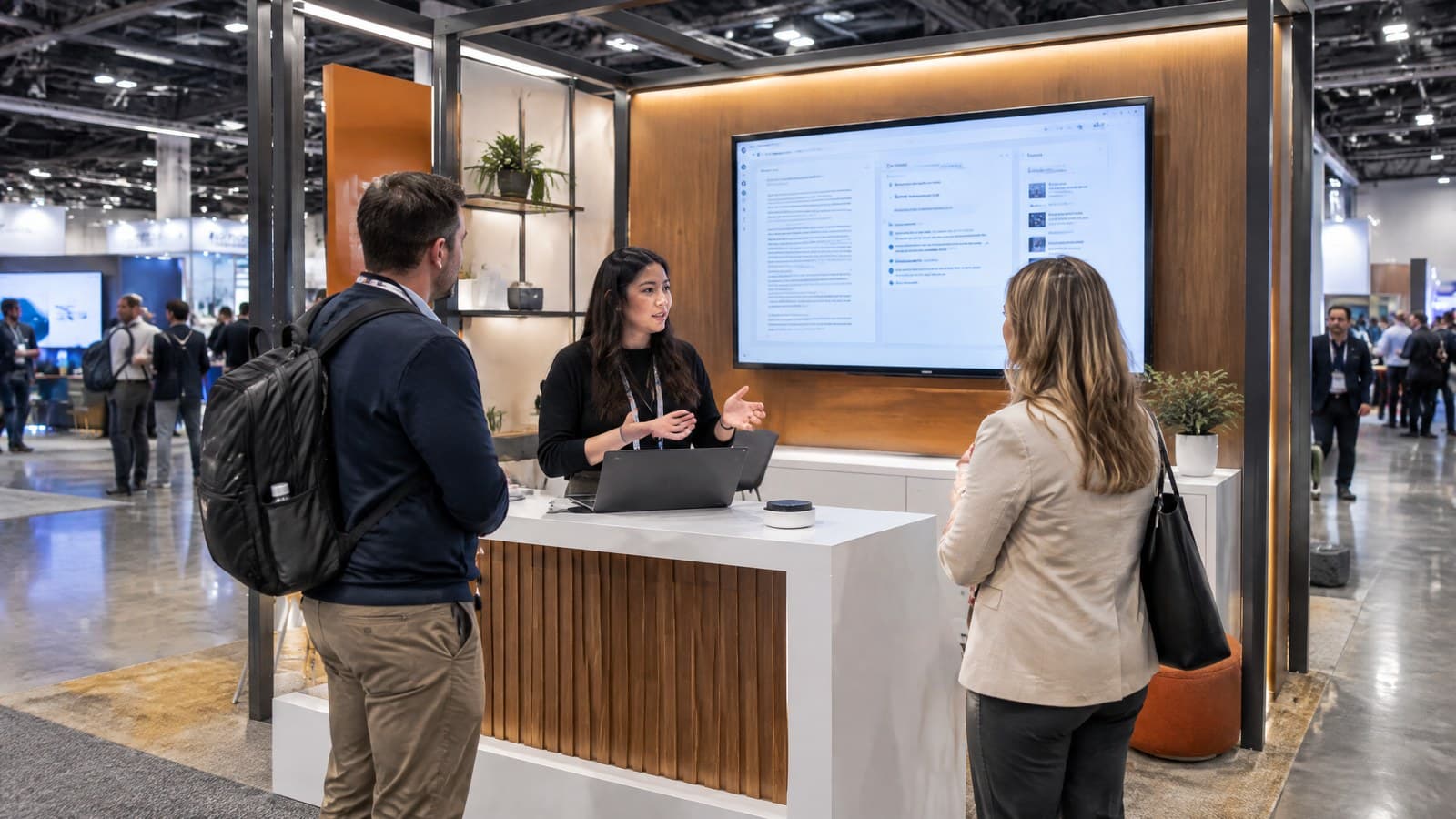
For a hypothetical document-search product, a focused demonstration might show a question, the approved sample documents, the returned answer and the passages supporting it. That sequence gives the buyer several things to inspect. A screen showing only a polished answer gives them fewer.
Make the operating conditions visible
The person standing in front of the exhibit should be able to tell whether they are seeing a live interaction, a recording, a simulation or an edited presentation. Each can have a legitimate role. Confusion arises when the format is left ambiguous.
Label the presentation where it is viewed. A small explanation buried in a handout does little for the visitor who watches for thirty seconds and moves on. If the demonstration uses prepared sample data, say so. If a recorded segment illustrates a process that cannot be run on the floor, explain that before it plays.
The same discipline applies to the product’s stage of development. A concept, a prototype and an available commercial product answer different purchasing questions. The graphics, presenter script and takeaway materials should use consistent language about what exists now and what is planned.
These are editorial recommendations for clear communication, not a statement of CES requirements or a substitute for the exhibitor’s own review of its claims.
Design the exhibit around what visitors must see
A demonstration screen is not automatically an effective viewing surface. A software interface designed for a person sitting close to a laptop can become unreadable when projected above a crowded counter. Enlarging the screen may leave the important text just as small relative to everything surrounding it.
Decide which elements matter during the demonstration. The audience may need to see the input, a status indicator, a result and a supporting source. Unrelated panels can consume attention without helping explain the product. Create a presentation view that makes the required information legible while accurately representing the underlying process.
The physical object matters too. If a sensor, camera or device is part of the demonstration, show its relationship to the result. A visitor should not have to guess which equipment is doing the work and which is scenery.
Convention Exhibit Solutions, one of our portfolio companies, publishes custom exhibit services in Las Vegas. A useful design brief for an AI demonstration would identify the sightlines, equipment positions and explanation surfaces the product requires before choosing the architectural treatment. Convention Exhibit Solutions is an independent exhibit business; its name and domain do not establish affiliation with the CES organizer.
Give the audience a fair comparison
A comparison can be persuasive precisely because it appears easy to understand. One screen shows the old process; another shows the new one. Yet differences in setup, task difficulty or available information can make the comparison less useful than it looks.
Ask the product team to document what is held constant and what changes. If a benchmark uses a selected example, describe its scope. If a number excludes preparation or human review, make that boundary clear. Avoid presenting an internal test as an independently verified industry result.
A short display cannot contain every technical qualification. It can identify the measurement and direct interested visitors to an appropriate explanation. The handoff should lead to something the company can actually provide, not a vague promise that supporting evidence exists somewhere.
| Demonstration element | Question a buyer may ask | Preparation before fabrication |
|---|---|---|
| Input | What information did the system receive? | Identify the approved sample and how it is introduced |
| Process | What runs live and what is prepared? | Label live, recorded and simulated elements |
| Result | What does this output demonstrate? | Define the specific claim and its limits |
| Comparison | Are both approaches doing the same task? | Document differences in setup and measurement |
| Evidence | Can I examine the basis for the claim? | Prepare an appropriate supporting explanation |
Treat printed language as part of the product demonstration
The claim on the wall may outlast the words spoken by the presenter. Visitors photograph graphics, share slides and carry away printed material. A qualification delivered verbally can disappear while the headline continues circulating.
Bring the graphic producer into the review before the final files are released. Separate stable information—such as the company name and product category—from statements likely to change as the launch develops. Decide which surfaces can be replaced independently if a feature name or availability statement changes.
Factory of Graphics, our national graphics producer, is a relevant resource for the physical communication layer. The practical brief should include the approved wording, intended viewing distance, surface requirements and version owner. This is a recommendation for how exhibitors can specify the work, not a claim that the company has reviewed a particular AI product.
Keep one approved version of the claims across the booth, slide deck and handout. A late change to the presentation should trigger a check of the other materials. Otherwise, a careful speaker may stand beneath a headline the product team has already withdrawn.
Prepare an honest fallback
A demonstration can depend on equipment, software, power, connectivity and the person operating it. Preparing an alternative presentation is sensible. Presenting that alternative as an uninterrupted live result is not.
Agree on what happens when the intended demonstration is unavailable. A clearly identified recording can explain the normal sequence. A diagram can show the process. A presenter can discuss a sample result while explaining its origin. The visitor should know which mode is being used.
Exhibit Rental Las Vegas, another business in our portfolio, offers trade show exhibit rentals. For a rental project, include the demonstration’s equipment and presentation needs in the brief rather than treating the counter as an empty surface to fill later. Confirm which party supplies each component and who supports it on site; do not assume the exhibit supplier owns the software or the show’s network services.
Portfolio disclosure: The linked exhibit and graphics companies belong to our business portfolio. Their inclusion is a commercial connection to the article’s planning topic, not an independent ranking, an official CES contractor designation or a claim of booked work. Availability and project responsibilities require confirmation.
Rehearse the explanation with someone outside the product team
The most revealing rehearsal may involve a colleague who did not build the system. Ask that person to watch the complete sequence and explain what they believe happened. Their interpretation can expose gaps that an experienced presenter no longer notices.
Can they identify the task? Do they know whether the result was live? Can they distinguish the demonstrated capability from a future feature? Do they understand what additional evaluation would be needed before purchasing?
If the answers are unclear, more spectacle is unlikely to resolve the problem. Change the sequence, the labeling or the evidence the visitor can inspect. Then repeat the rehearsal with the revised materials.
October offers a useful opportunity to resolve these questions while the exhibit brief can still be shaped around the demonstration. By January, the strongest story should be one the physical booth, the presenter and the product can all tell consistently. The aim is not to make every visitor an AI specialist. It is to give a serious buyer a clear basis for the next question.
Reporting note: Event information and company service descriptions were checked against primary websites on October 3, 2026. The demonstration examples and recommendations are original editorial analysis. No interviews, observed product tests, performance statistics or independent endorsements are claimed.
Sources are linked at the point of each claim. If you have a service manual, rate sheet, invoice, or correction, tell the editor.